






Creating a Network Shortcut
|
|
Creating a Network Shortcut |
| Information |
|---|
|
How to Create a Network Shortcut
There
are many ways to create a shortcut. Here is one method used to
create a shortcut to \\SV-100\Company\TemporarySharing
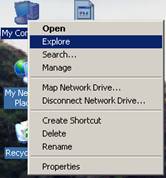
on your desktop. 1) Right click on My Computer and select Explore
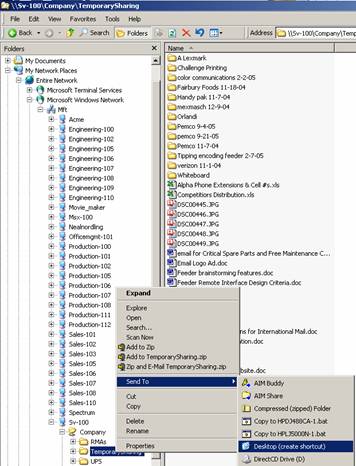
2) Browse to the folder or file you want to create a shortcut to
3) Right click on the folder 4) Point to Sent to 5) Click Desktop (create shortcut) You will now see a shortcut on your desktop.
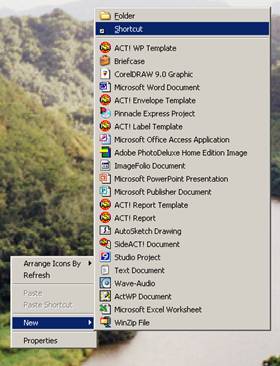
1) right click on the desktop
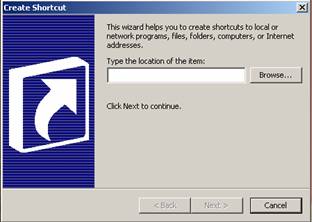
2) Point to new 3) Shortcut 4) A dialog box appears
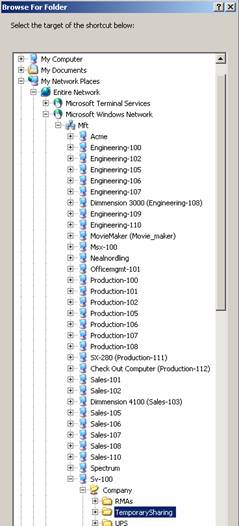
5) Click on browse (or you can type in the location if you know it. Example: \\SV-100\Company\TemporarySharing Spelling and syntax must be 100% accurate) 6) Browse to the folder or file you want to create the shortcut to
7) Then click OK 8) Click Next 9) At this point you can name your shortcut if you want, otherwise just leave the default name and Click Finish.
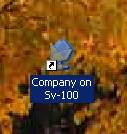
You will now see a shortcut located on your desktop!!!
|