






ACT - Point to new database location
|
|
ACT - Point to new database location |
| Information |
|---|
|
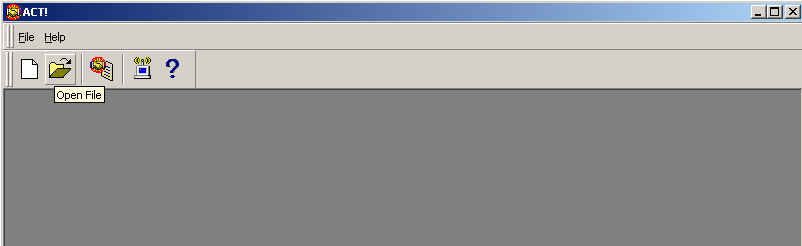
1. Open act like you normally would. 2. When it asks for your username/password, just click cancel. (ACT should now look like below)
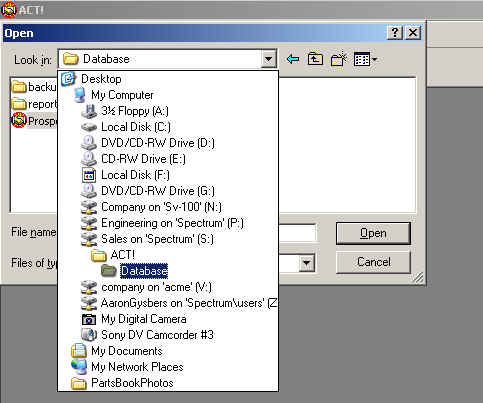
3. Click on the Open File folder and browse to your Sales on 'Spectrum' (S:) drive. NOTE: IF YOU DON'T SEE THIS DRIVE, THEN YOU HAVE TO RESTART YOUR COMPUTER! (alternatively, you can browse My Network Places, but you still should have restarted your computer by now.)
4. Browse to \\Spectrum\Sales\ACT!\Database\Prospects.dbf 5. Click Open 6. Supply Username. No account is password protected. Usernames should be in the form of: Firstname Lastname example (note the space and capitals) Aaron Gysbers
|