Creating a New Quote For Approval
Using the Quote Creator Application.

Instructions on Creating a Quote For Approval
Open Internet Explorer/Home
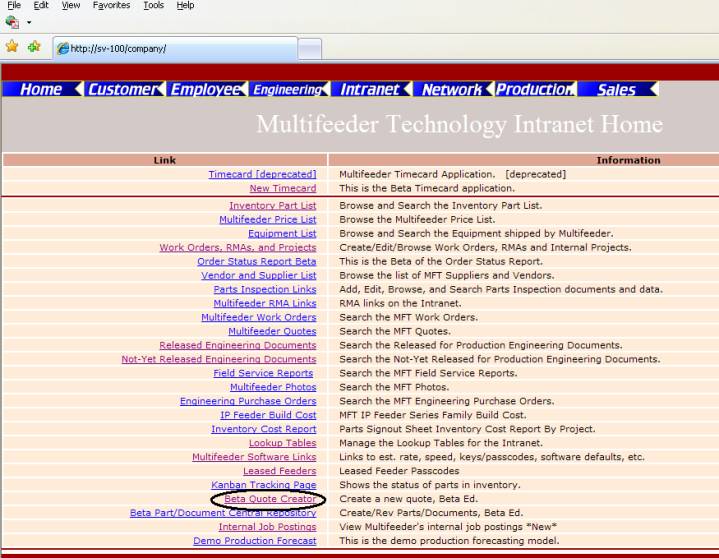
Click on Beta Quote Creator
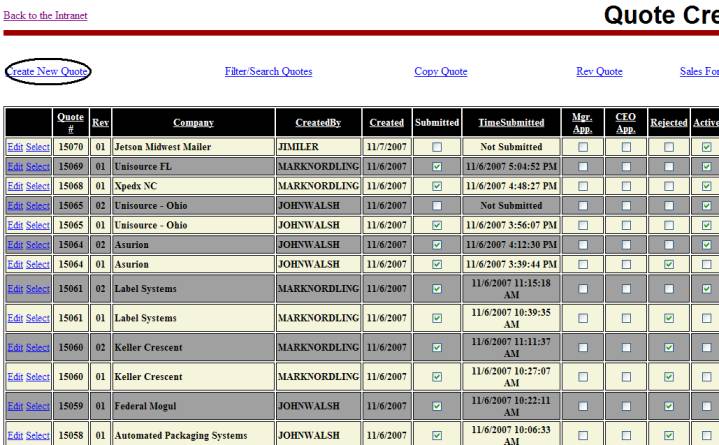
Click on Create a New Quote
An open screen appears
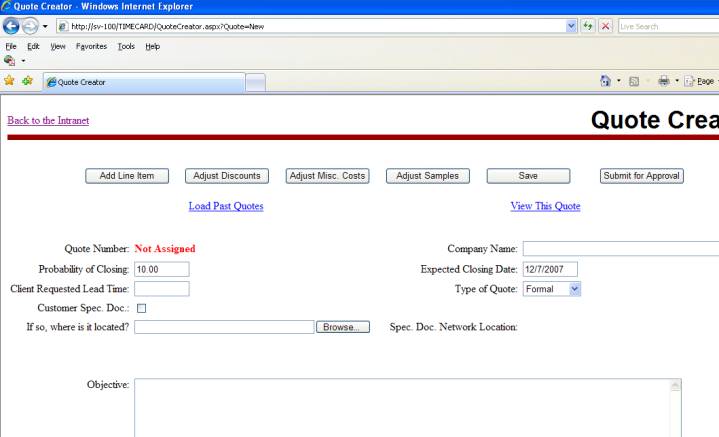
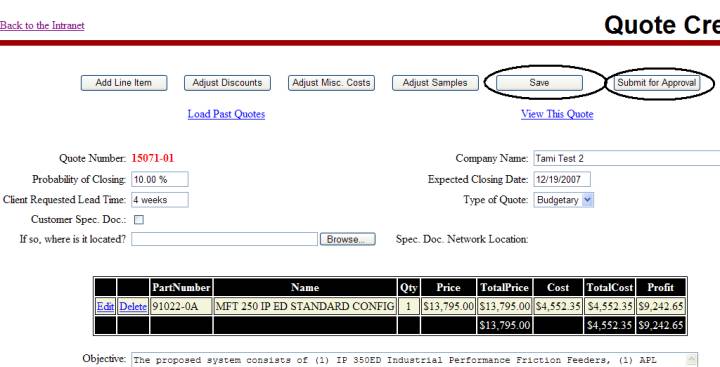
Type in Company Name and Click “Save” (Quote number is
now assigned)
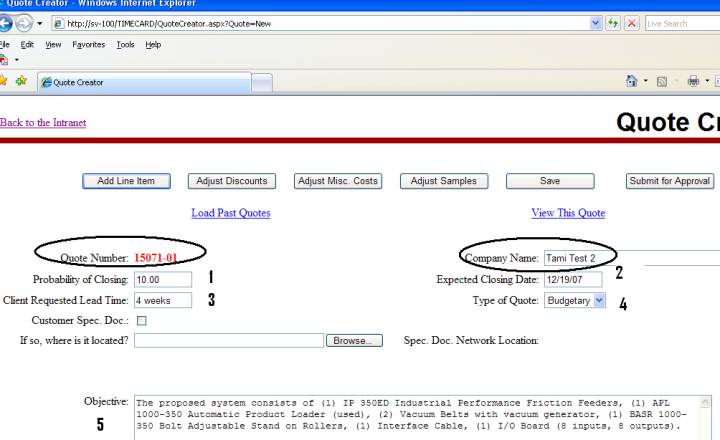
Fill in the following fields:
1) Probability of Closing (percentage),
2) Expected Closing Date,
3) Client Requested Lead Time,
4) Type of Quote,
5) Objective and
6) Click “SAVE” after all information is entered
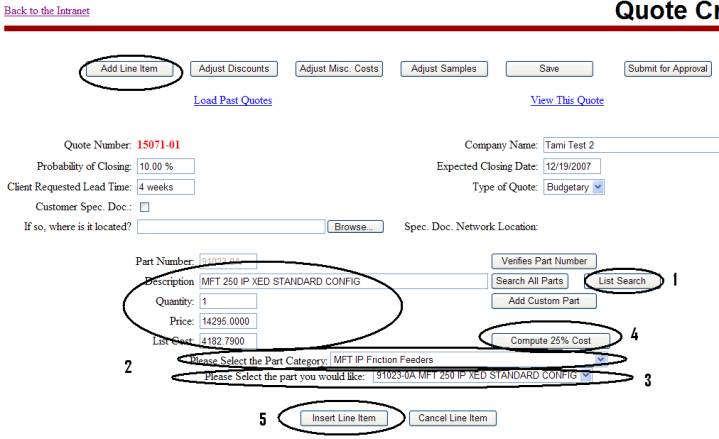
Adding Line Item(s)
1)
Click on List Search
2)
Select the Part Category from the drop down list,
3)
Select the Part you would like (the information is
automatically populated into the description and price fields) and add the
quantity,
4)
Click on
Compute the 25% Cost,
5)
Insert Line Item and
6)
Click Save (continue adding all line items as needed
following steps 1-6 above)
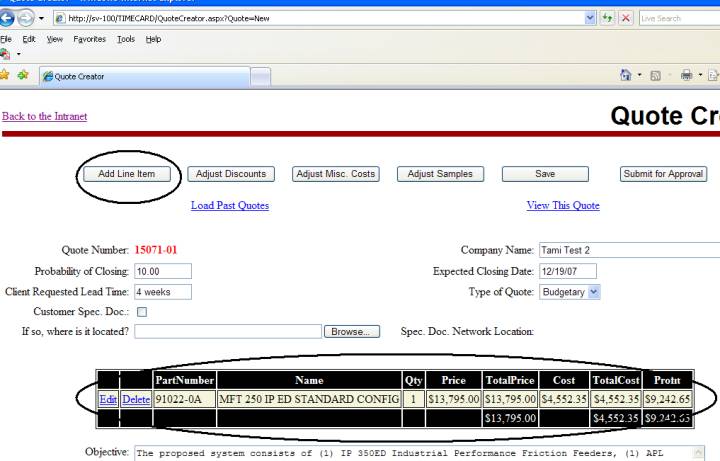
Line Item has now been inserted. Continue adding/inserting line items as
needed (repeat instructions on previous page to add multiple line items). Click SAVE
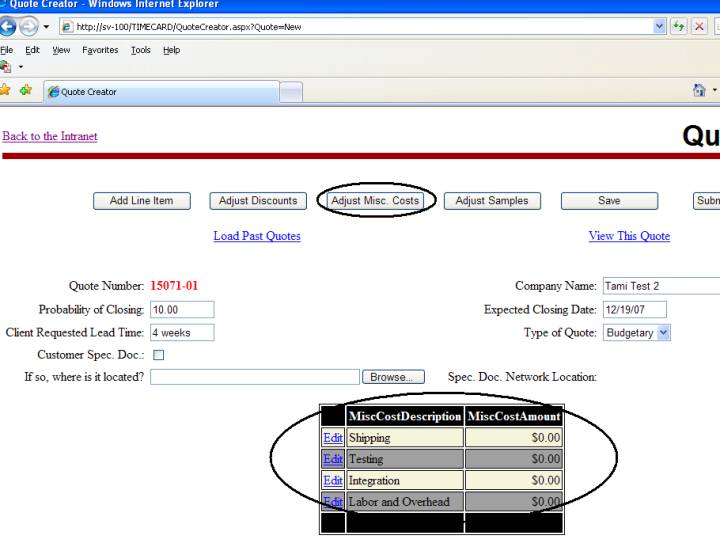
Adjust Miscellaneous Costs
-If applicable
(integration, shipping, testing, labor and overhead). Click SAVE
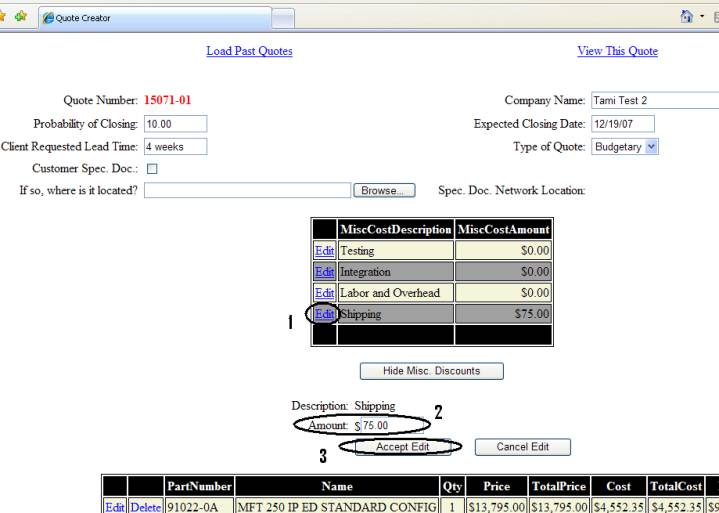
1)
Click Edit
2) Type in
Amount
3) Accept Edit
4) Click SAVE
NOTE: If a discount was offered, these costs would not
be a component of that discount.
Adjust Samples
Click on Add Sample
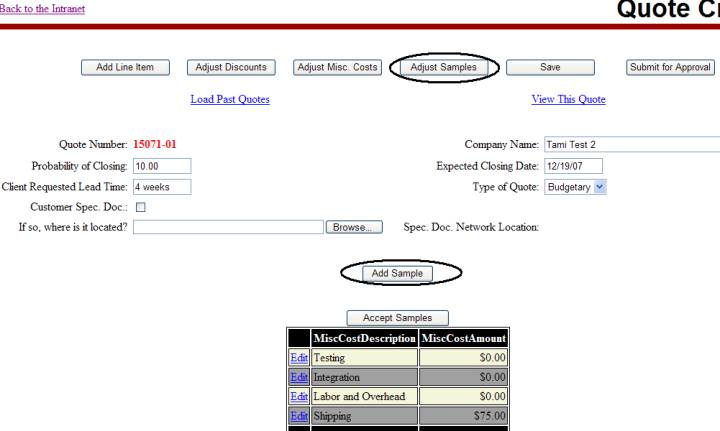
1)
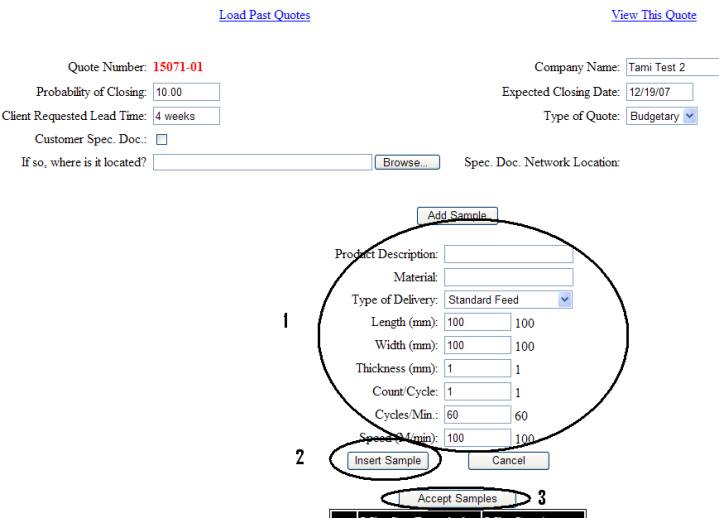
Add Lines Items to Sample (length, width, and
thickness are added in millimeters)
2)
Insert Sample
3)
Accept Sample
4)
Click SAVE
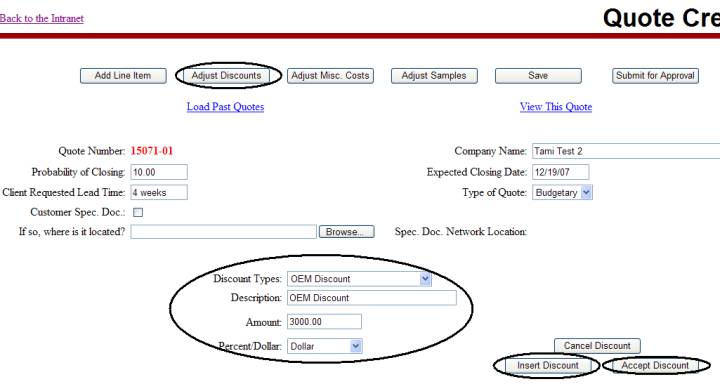
Adjust Discounts
- if
applicable. Click Insert Discount and then Click Accept Discount. Click SAVE and then Click View This Quote.
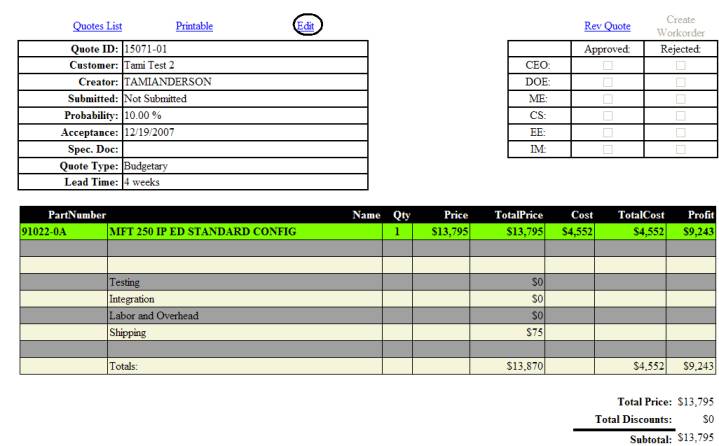
QUOTE IN VIEW FORM
Review for accuracy. Edit Quote for any
changes/corrections.
Submitting a Quote
Click SAVE and then SUBMIT for APPROVAL
(once submitted, no further edits are allowed)
Management reviews and then either accepts or rejects
via e-mail to originator.